
Description
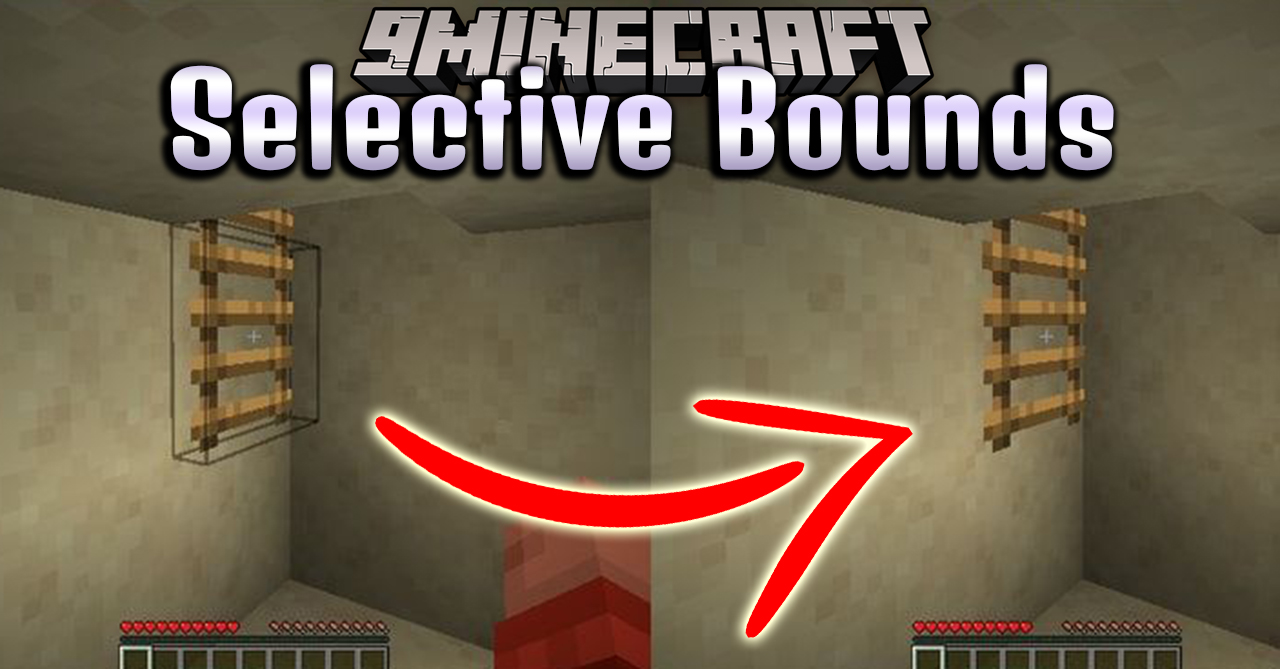
Selective Bounds Mod (1.21.1, 1.20.1) improves visual clarity by hiding the block selection outline when it is not useful. Normally, Minecraft always displays a block outline when the player looks at a block. This mod removes the outline in situations where it feels unnecessary, making the view cleaner and less distracting.

Features
- Smart Outline Behavior
- The selection outline is hidden when the player is holding the wrong tool.
- The outline is also hidden when the player has no tool equipped.
- This is especially noticeable on foliage and other non-solid blocks.
- Temporary Visibility
- The outline appears again when the player starts breaking or placing blocks.
- Holding
Shiftwill also temporarily show the outline.
- Configuration
- All behavior can be adjusted in the configuration file:
configs/selectivebounds.json
Requirements
Minecraft Forge or Fabric API or NeoForge Installer
Installation
Click the following link to view details: How to Install Mods for Minecraft Java Edition on PC: A Beginner Guide
📥 Selective Bounds Mod (1.21.1, 1.20.1) Download Links
📦 📦 For Minecraft 1.20.1, 1.20
Forge version🔗 Download from Server 1 – 🔗 Download from Server 2
🔗 Fabric version: 🔗 Download from Server 1 – 🔗 Download from Server 2
📦 📦 For Minecraft 1.21.1, 1.21
Forge version🔗 Download from Server 1 – 🔗 Download from Server 2
🔗 Fabric version: 🔗 Download from Server 1 – 🔗 Download from Server 2
🔗 NeoForge version: 🔗 Download from Server 1 – 🔗 Download from Server 2


