Description
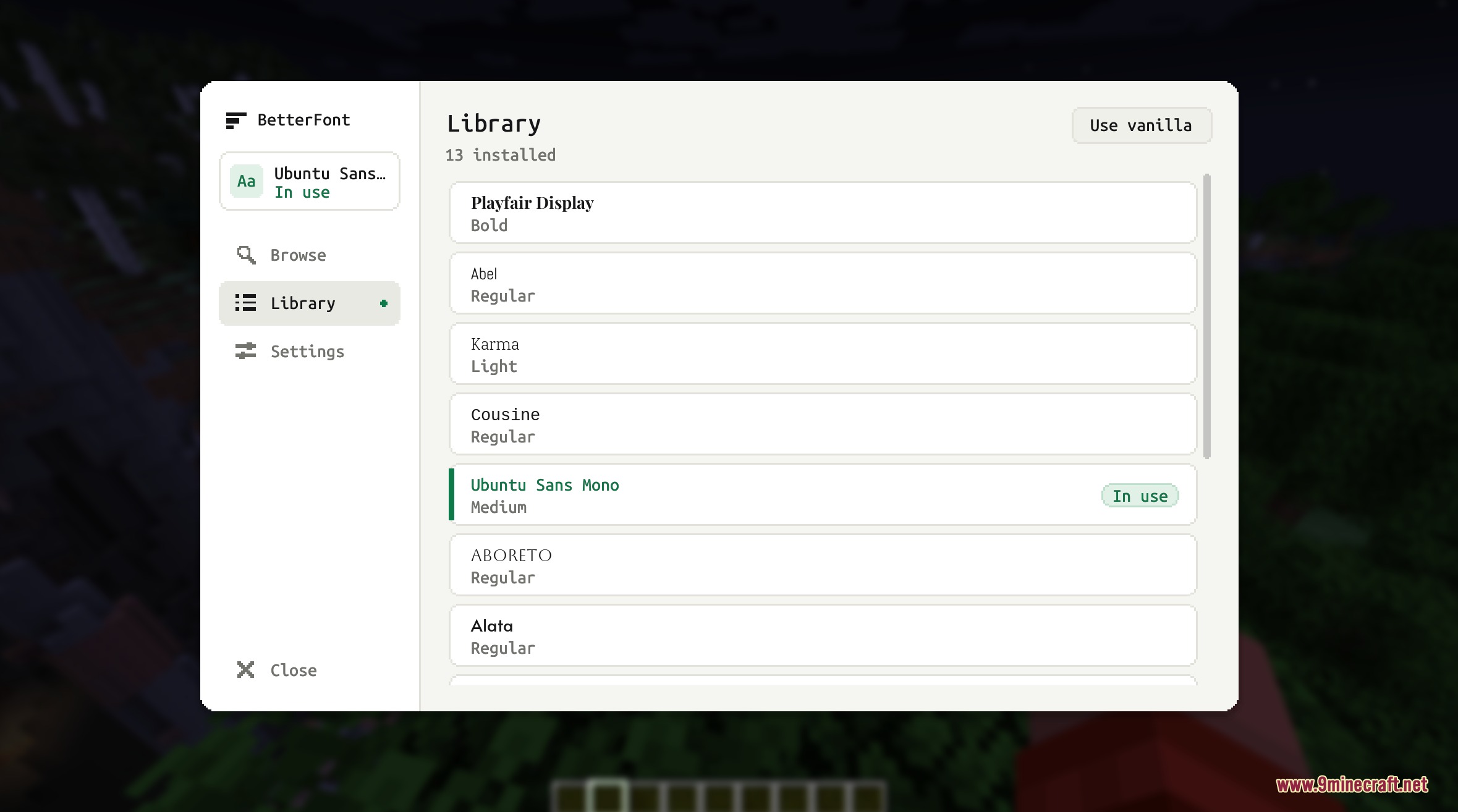
I Want a Better Font Mod lets you change your in-game text style using the Google Fonts collection. You can search and switch fonts directly inside your world without restarting the game. Text automatically fits your chosen interface size and screen resolution, keeping every menu and inventory easy to read.

Features
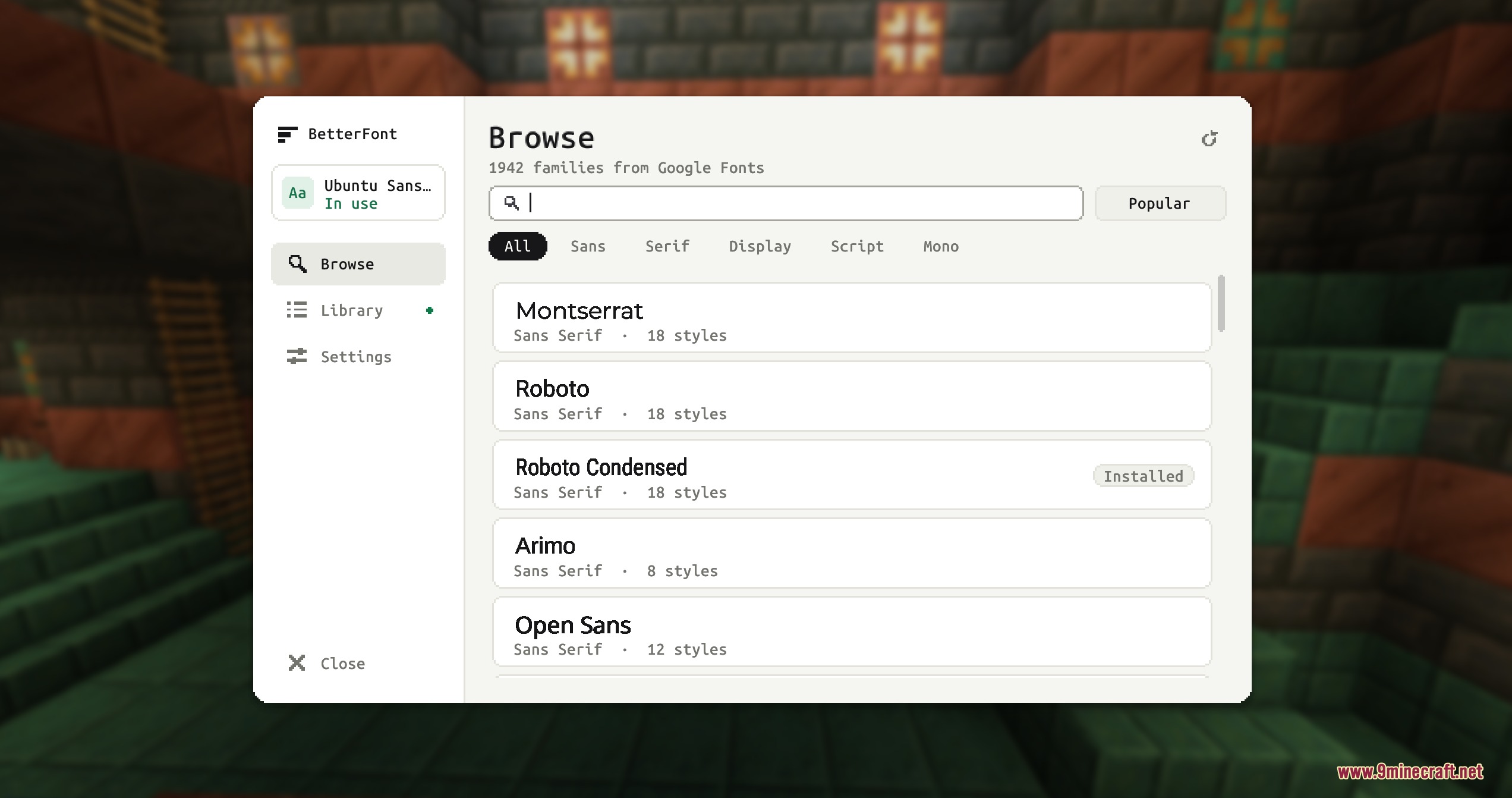
- Lets you browse and search the Google Fonts catalog directly from the game screen.
- Applies your selected font across menus, loading screens, chat, and inventory windows.
- Adjusts text size automatically to match your current GUI scale and display resolution.
- Includes a local library tab to store and organize downloaded font files.
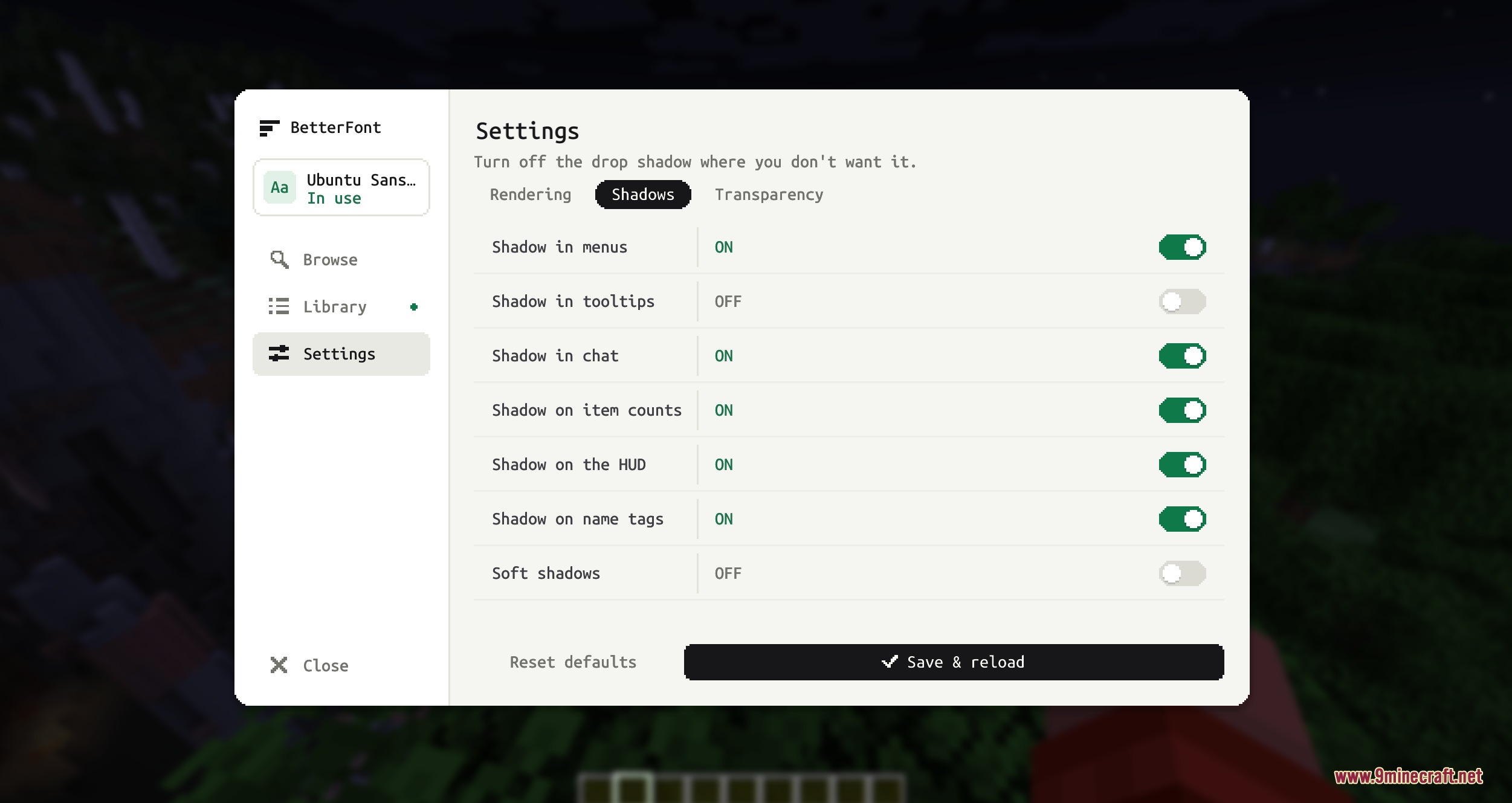
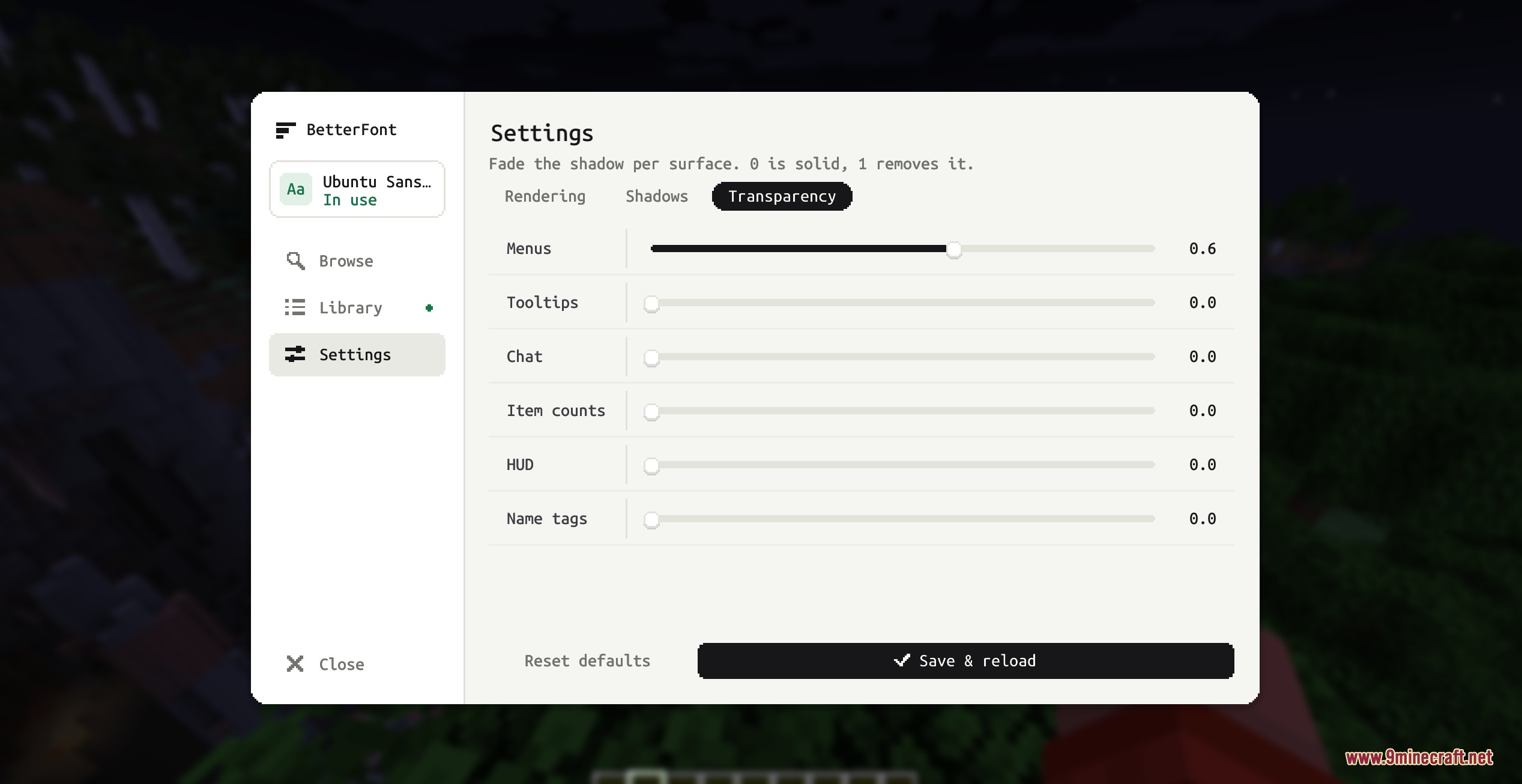
- Provides options to change text shadows, shadow transparency, and rendering modes.
Requirements
NeoForge RequiredFabric Loader RequiredFabric API RequiredMinecraft Forge Required
Architectury API Required
Installation
New to Minecraft? Follow our step-by-step guide to install Mods on your PC.View Guide
📥 I Want a Better Font Mod Download Links
📦 For Minecraft 26.3
🔗 Download from Server 1 — 🔗 Download from Server 2🔗 Download from Server 1 — 🔗 Download from Server 2
📦 For Minecraft 26.2
🔗 Download from Server 1 — 🔗 Download from Server 2🔗 Download from Server 1 — 🔗 Download from Server 2
📦 For Minecraft 26.1.2, 26.1.1, 26.1
🔗 Download from Server 1 — 🔗 Download from Server 2🔗 Download from Server 1 — 🔗 Download from Server 2
📦 For Minecraft 1.21.11
🔗 Download from Server 1 — 🔗 Download from Server 2🔗 Download from Server 1 — 🔗 Download from Server 2
📦 For Minecraft 1.21.10, 1.21.9
🔗 Download from Server 1 — 🔗 Download from Server 2🔗 Download from Server 1 — 🔗 Download from Server 2
📦 For Minecraft 1.21.8, 1.21.7, 1.21.6
🔗 Download from Server 1 — 🔗 Download from Server 2🔗 Download from Server 1 — 🔗 Download from Server 2
📦 For Minecraft 1.21.1, 1.21
🔗 Download from Server 1 — 🔗 Download from Server 2🔗 Download from Server 1 — 🔗 Download from Server 2
📦 For Minecraft 1.20.1, 1.20
🔗 Download from Server 1 — 🔗 Download from Server 2🔗 Download from Server 1 — 🔗 Download from Server 2🔗 Download from Server 1 — 🔗 Download from Server 2