Description
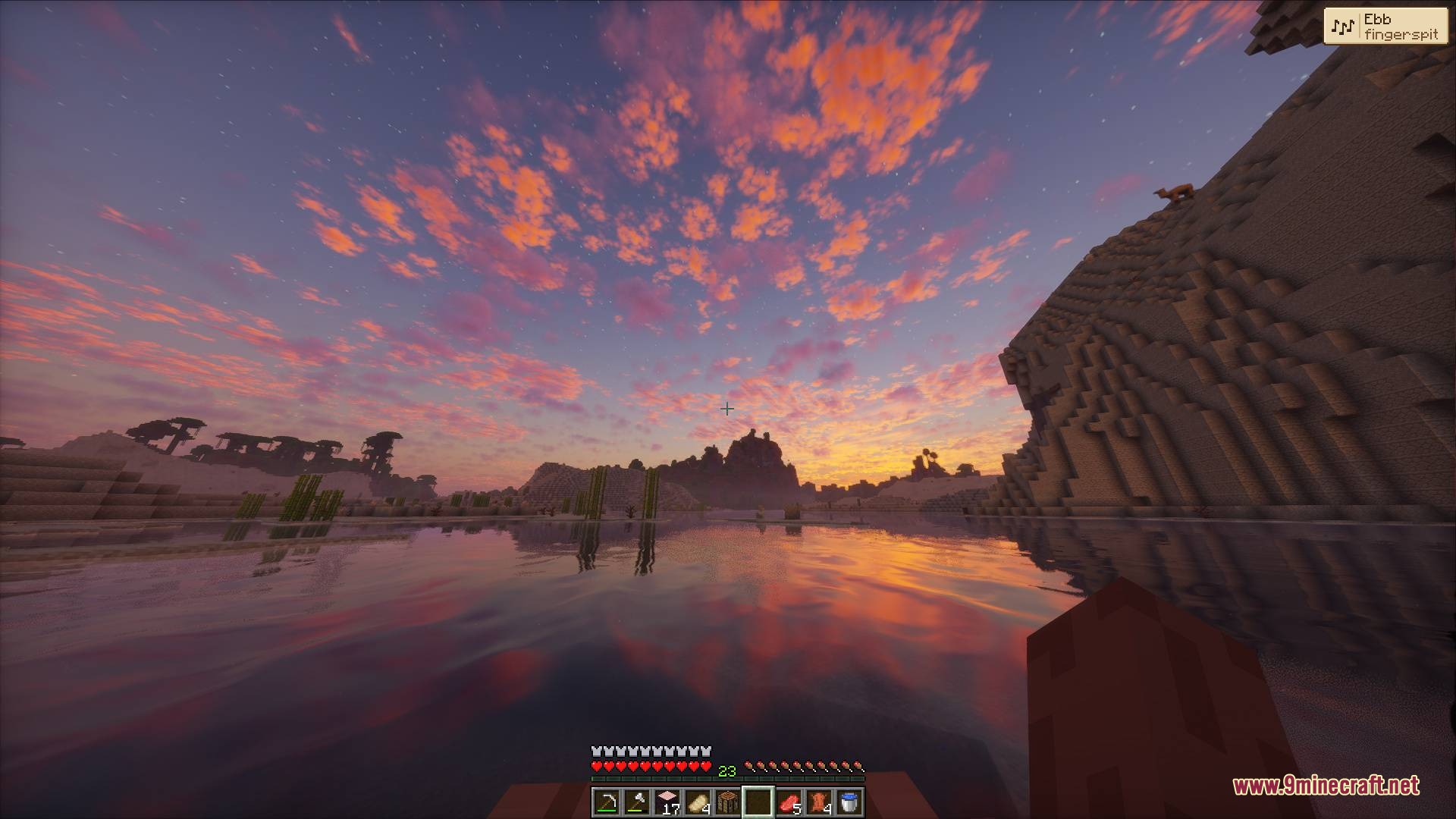
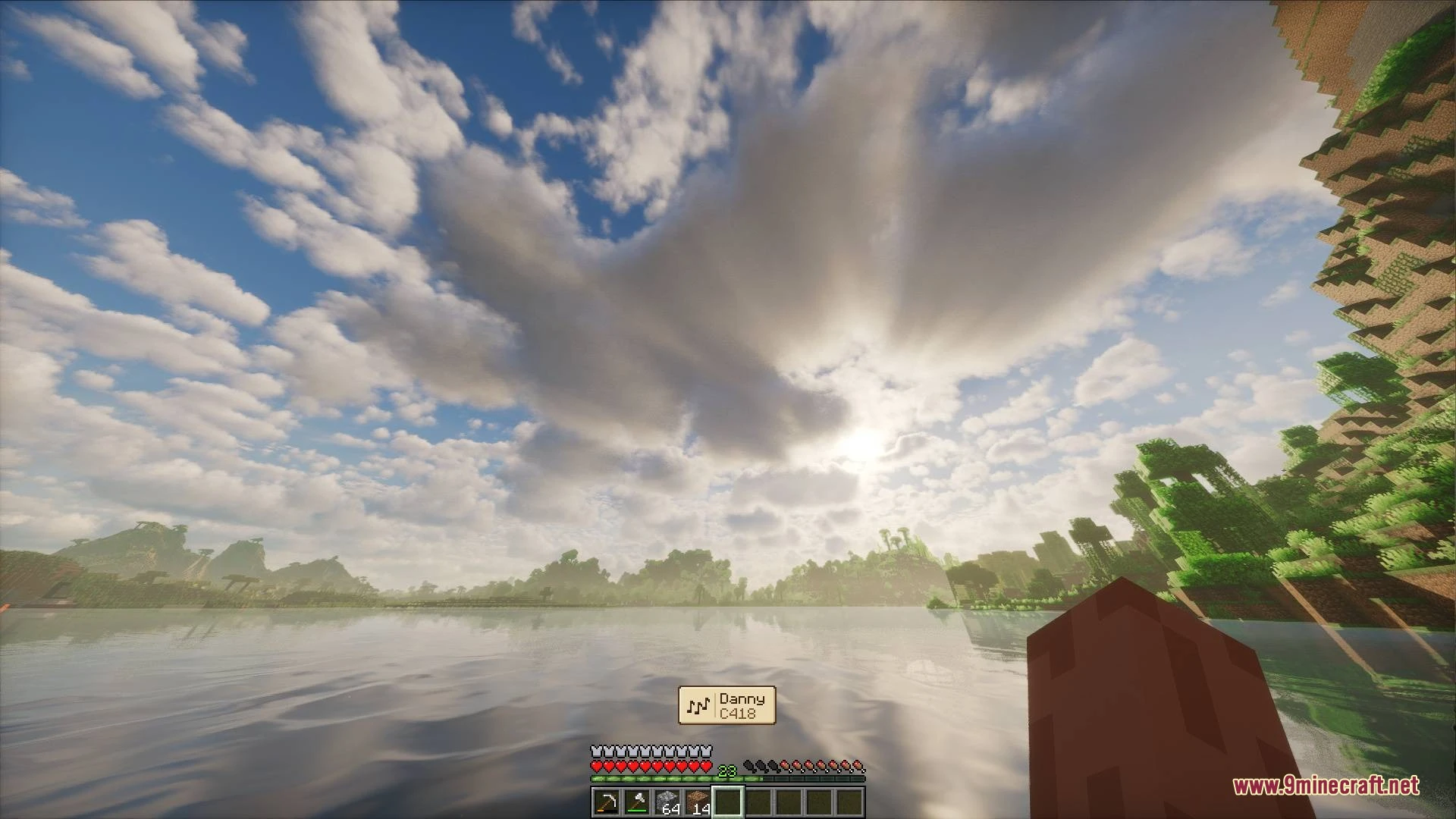
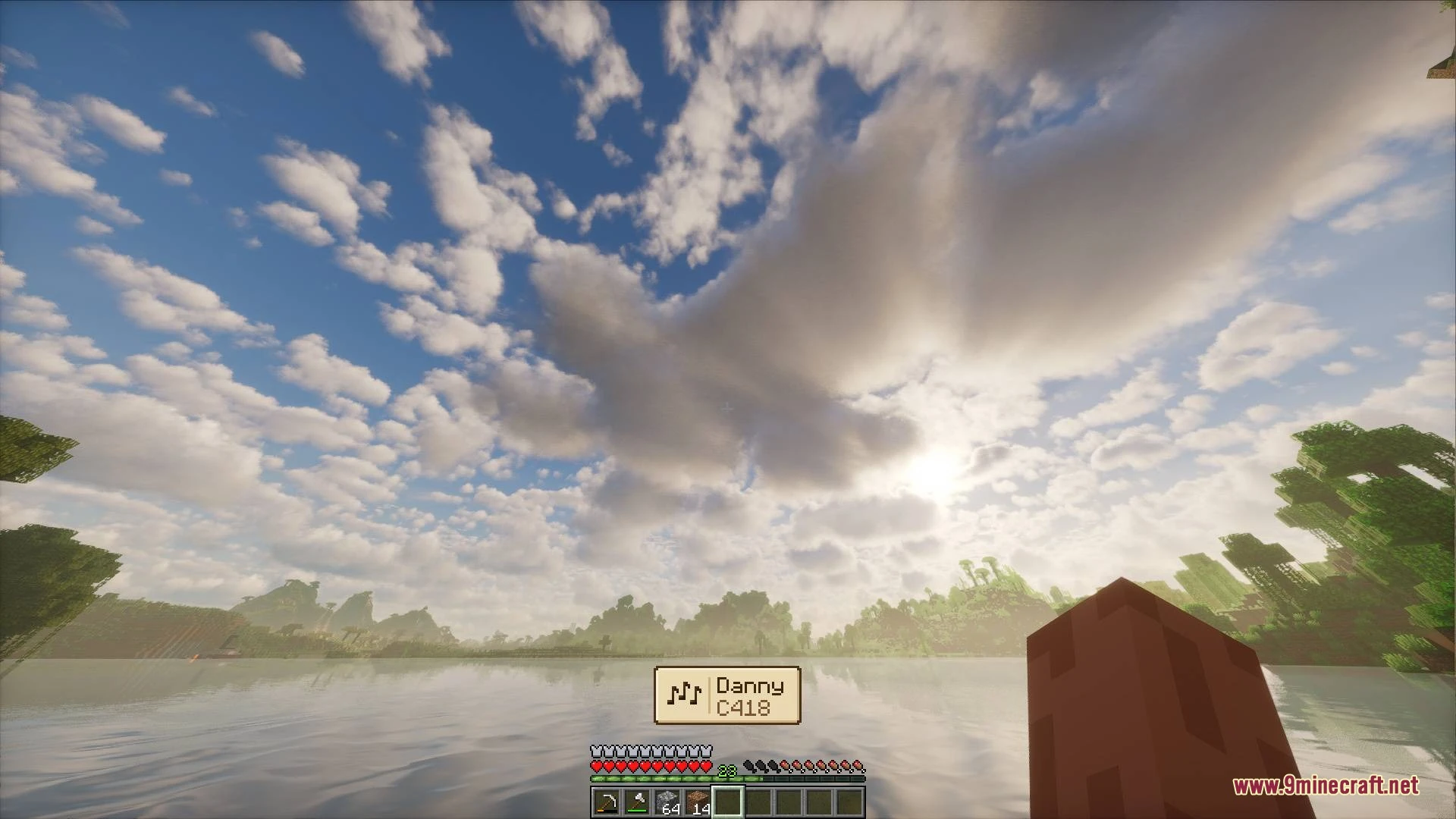
Better Music Toast Mod displays the title and artist of any playing track on your screen inside a clean HUD popup. This mod works with background tunes, main menu tracks, and music discs. You can adjust where the popup appears, change how often music plays, or switch to classic C418 tracks only.

Features
- Displays a clean notification box showing the current song title and artist when music starts.
- Works with all standard music tracks, main menu songs, and music discs.
- Lets you switch playback to the classic C418 soundtrack across your worlds.
- Adds music frequency settings like Default, Frequent, and Constant.
- Keeps music playing in the background even when you pause the game.
- Lets you place the toast in screen corners, at the top center, or above the hotbar.
- Allows you to adjust how long the popup stays on screen or keep it visible for the whole track.
- Moves or hides automatically when advancement popups appear in the same spot.
- Includes options to choose different color profiles or turn off the built-in game toast.
Requirements
Minecraft Forge RequiredNeoForge RequiredFabric Loader RequiredFabric API Required
Installation
New to Minecraft? Follow our step-by-step guide to install Mods on your PC.View Guide
📥 Better Music Toast Mod Download Links
📦 For Minecraft 26.3
🔗 Download from Server 1 — 🔗 Download from Server 2🔗 Download from Server 1 — 🔗 Download from Server 2🔗 Download from Server 1 — 🔗 Download from Server 2
📦 For Minecraft 26.2
🔗 Download from Server 1 — 🔗 Download from Server 2🔗 Download from Server 1 — 🔗 Download from Server 2🔗 Download from Server 1 — 🔗 Download from Server 2
📦 For Minecraft 26.1.2, 26.1.1, 26.1
🔗 Download from Server 1 — 🔗 Download from Server 2🔗 Download from Server 1 — 🔗 Download from Server 2🔗 Download from Server 1 — 🔗 Download from Server 2
📦 For Minecraft 1.21.11
🔗 Download from Server 1 — 🔗 Download from Server 2🔗 Download from Server 1 — 🔗 Download from Server 2🔗 Download from Server 1 — 🔗 Download from Server 2
📦 For Minecraft 1.21.10, 1.21.9
🔗 Download from Server 1 — 🔗 Download from Server 2🔗 Download from Server 1 — 🔗 Download from Server 2🔗 Download from Server 1 — 🔗 Download from Server 2
📦 For Minecraft 1.21.1, 1.21
🔗 Download from Server 1 — 🔗 Download from Server 2🔗 Download from Server 1 — 🔗 Download from Server 2🔗 Download from Server 1 — 🔗 Download from Server 2
📦 For Minecraft 1.20.1, 1.20
🔗 Download from Server 1 — 🔗 Download from Server 2🔗 Download from Server 1 — 🔗 Download from Server 2
📦 For Minecraft 1.18.2, 1.18.1, 1.18
🔗 Download from Server 1 — 🔗 Download from Server 2🔗 Download from Server 1 — 🔗 Download from Server 2
📦
For Minecraft
1.16.5,
1.16.4,
1.16.3
All Versions Covered
1.16.5
1.16.4
1.16.3
1.16.2
All Versions Covered
1.16.5
1.16.4
1.16.3
1.16.2
🔗 Download from Server 1 — 🔗 Download from Server 2🔗 Download from Server 1 — 🔗 Download from Server 2
📦 For Minecraft 1.12.2, 1.12.1, 1.12
🔗 Download from Server 1 — 🔗 Download from Server 2
📦 For Minecraft 1.8.9
🔗 Download from Server 1 — 🔗 Download from Server 2
📦 For Minecraft 1.7.10
🔗 Download from Server 1 — 🔗 Download from Server 2