Description
Skid Client Mod gives you a big toolkit of combat, render, movement and automation modules in one menu. The mod sorts everything into groups, so you can find a tool fast. It also lets you change your HUD and colors to match your style.


Features
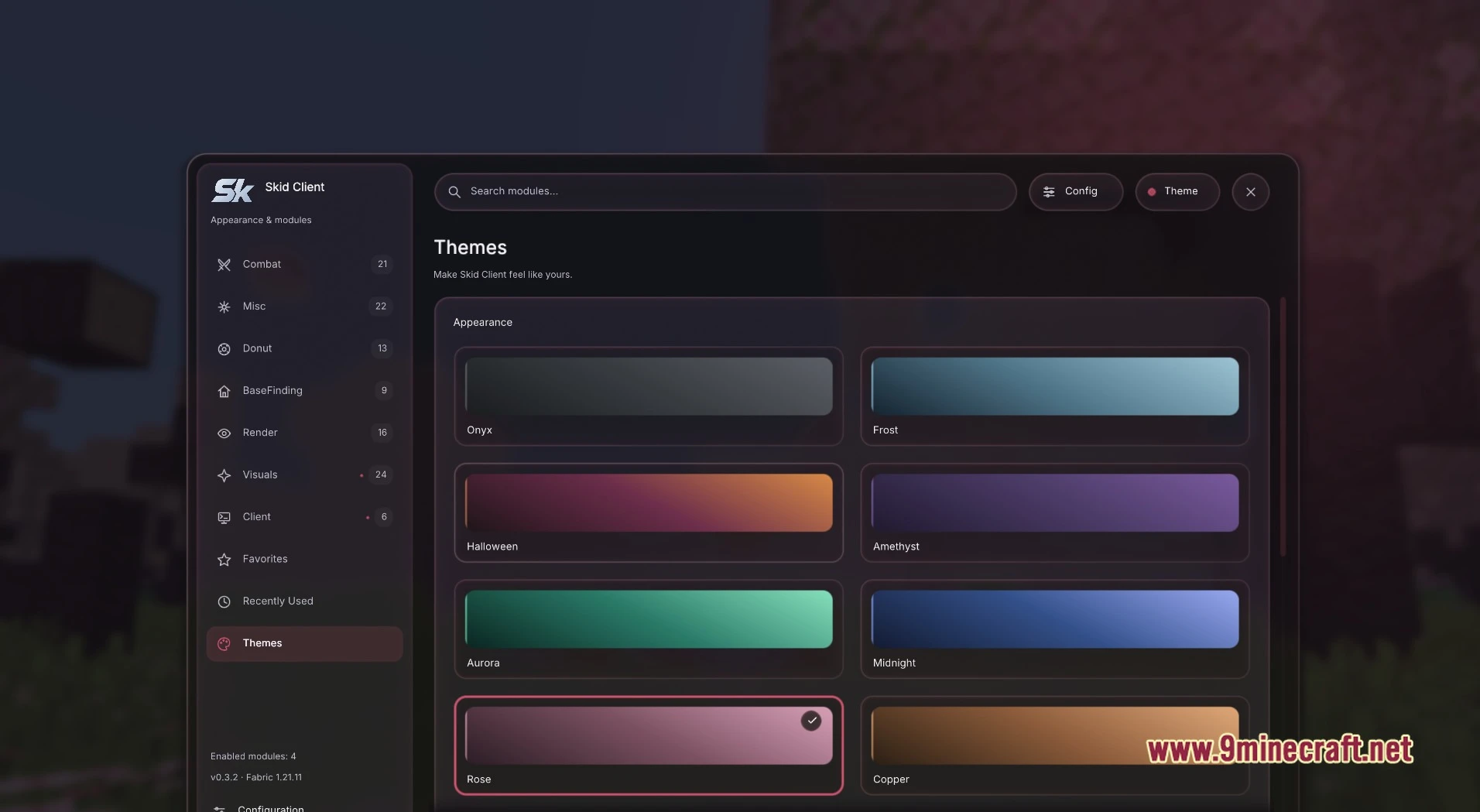
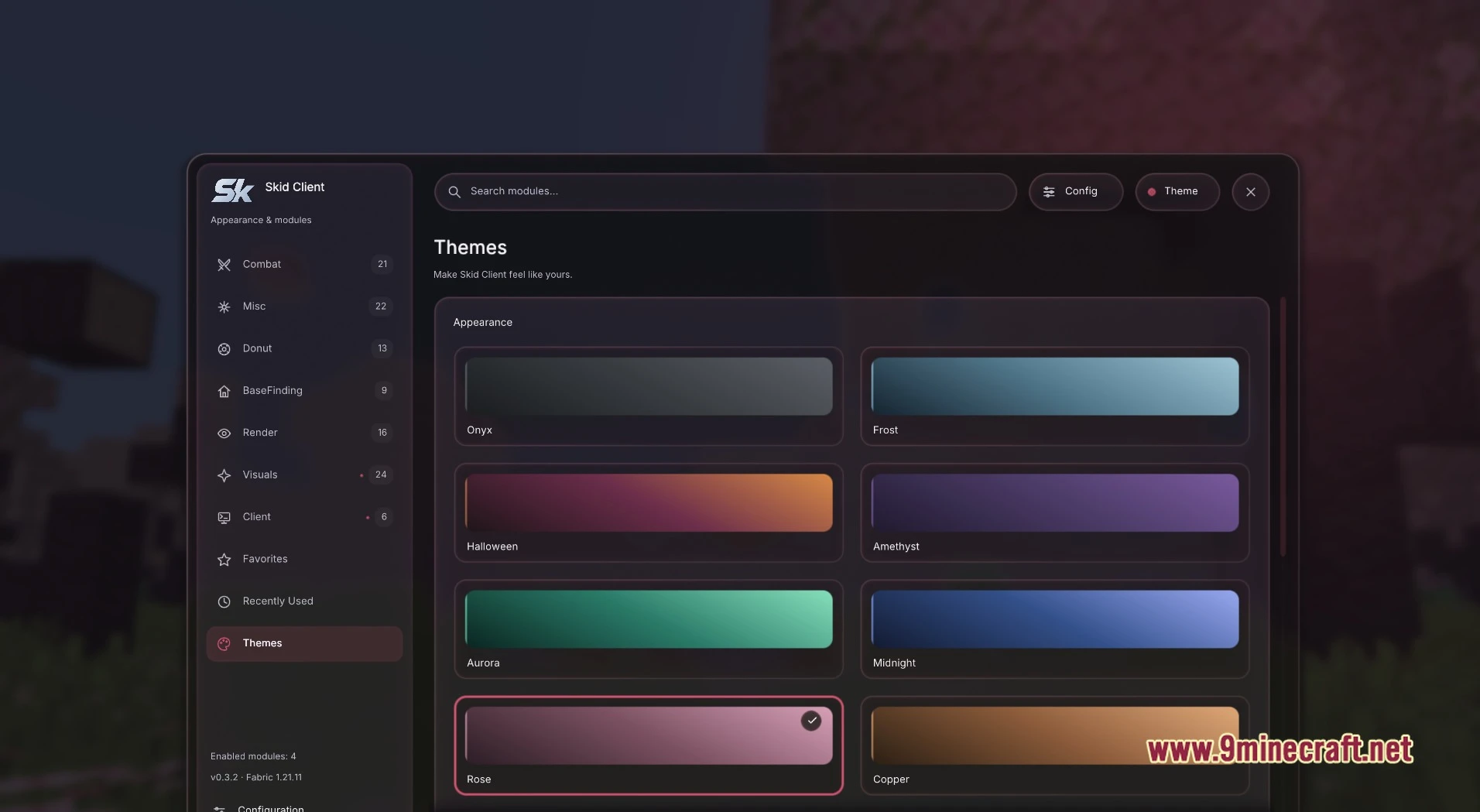
- Clean Menu: Press Right Shift to open one dark, rounded window with a “Search modules…” field and buttons for Config and Theme. The left rail lists Combat, Misc, Donut, Basefinding, Render, Visuals and Client, plus Favorites, Recently Used and Themes.
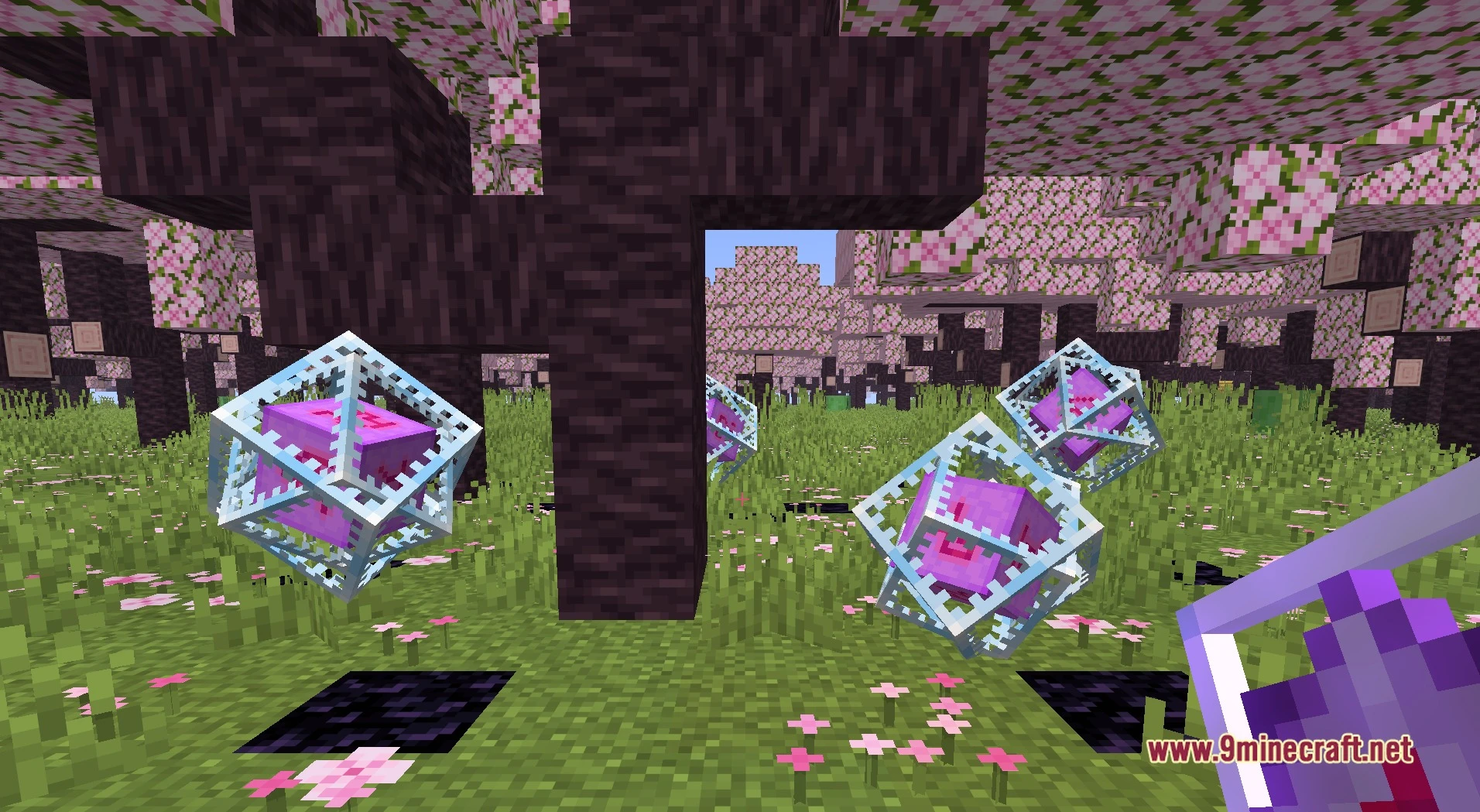
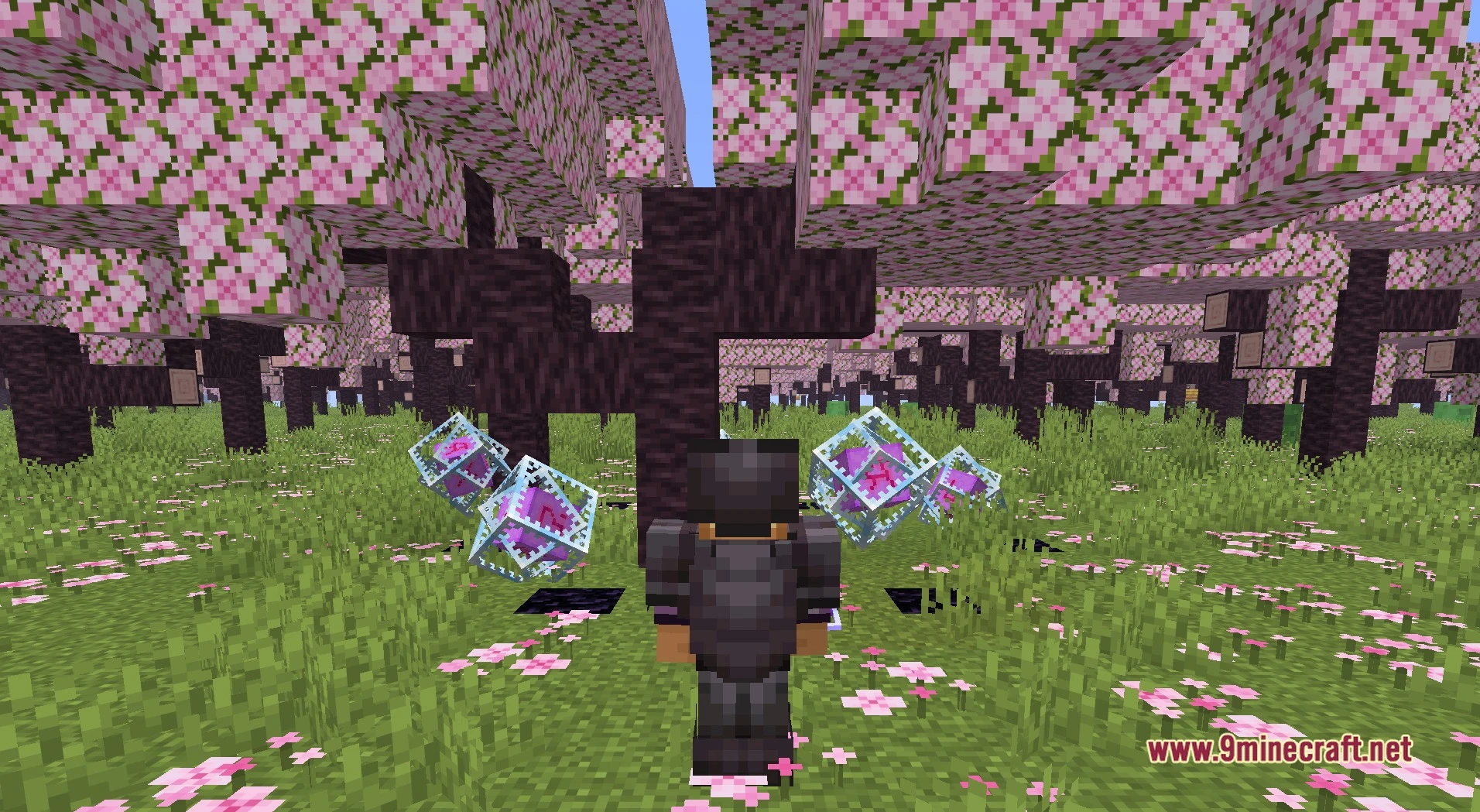
- Combat Tools: Adds Aim Assist, Auto Clicker, Auto Crystal, Auto Hit Crystal, Crystal Optimizer, Anchor Macro, Double Anchor, Shield Breaker, Mace Bomber, Auto Totem, Hit Box and No Hit Delay for crystal and sword fights.
- Render and ESP: Brings PlayerESP, MobESP, BlockESP, HoleESP, Amethyst Esp and Box Bone Esp so you can spot things through the world. Name Tags, Fullbright, Freecam and Light Finder add more ways to see.
- Gives you movement options like Elytra Glide, Elytra Swap, Auto Walk, Sprint, Free Look and Auto Jump Reset.
- Scans for bases and chunks with Module Chunk Finder, OG Chunk Finder, Prime Chunk Finder, Seed Chunk Finder, Player Chunks, RTP Base Finder and Netherite Finder.
- Automates boring jobs with Auto Eat, Auto Loot, Auto Mine, Auto Tool, Auto Reconnect, Auto Rtp, AutoTPA, Auto Sell, Auto Spawner Sell and Chat Macro.
- Adds a Donut group with 13 modules, including Anti Vanish, OG Donut Scoreboard, Donut Staff Data and Fake Pay.
- Lets you build your own screen with HUD, MusicHUD, Now Playing and Radio. The Themes page has ready color presets: Onyx, Frost, Halloween, Amethyst, Aurora, Midnight, Rose and Copper. The footer shows your enabled modules and a Configuration entry.
Requirements
Fabric Loader RequiredFabric API Required
Installation
New to Minecraft? Follow our step-by-step guide to install Mods on your PC.View Guide
📥 Skid Client Mod Download Links
📦 For Minecraft 1.21.11
🔗 Download from Server 1 — 🔗 Download from Server 2