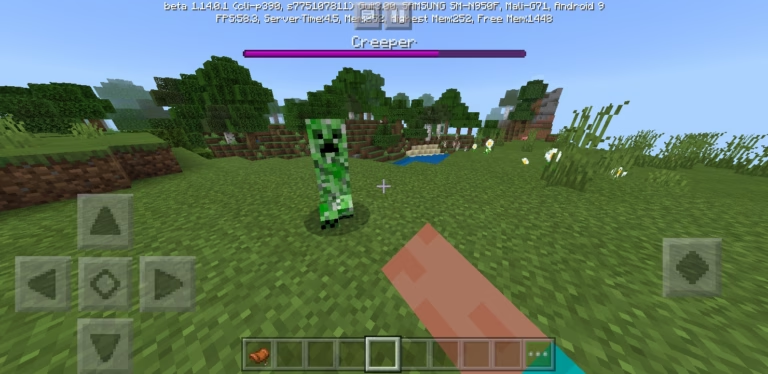
Make health tracking in Minecraft a breeze with this script! Choose between a heart-based display for a classic look or switch to raw mode for precise health numbers. Customize your view and keep your gameplay smooth and clear with just a simple command.—————————————————————–Some Video’s & Photos Showcasing The Add-on:|-●- Customizing Through Settings -●- —————————————————————– -●- Showcase Of The World Border -●- https://www.youtube.com/watch?v=mb5tuKKmWhg—————————————————————– -●- Photos Of Both Settings -●- “Raw” Mode: —————————————————————– “Hearts” Mode: —————————————————————– -●- Installation -●- Download the Addon: Click on the download link and save the mcaddon file to your device. —————————————————————– Install on Windows:Locate the downloaded mcaddon file.Double-click the file to automatically import it into Minecraft Bedrock Edition. —————————————————————– Install on Xbox:Unfortunately, the exact installation process for Xbox is currently uncertain. You may need to transfer the file to your console using a USB drive or other method. —————————————————————– Install on Server: Upload the addon files to your server’s resource and behavior pack folders. Make sure to activate the packs in your server’s configuration settings. —————————————————————– Run the Addon:Once the addon is installed, launch Minecraft Bedrock Edition or restart your server.The world border feature should now be active and ready to use.ChangelogVersion 1.0.4 – MCB Update 1.21.40.3+ Updated for Minecraft Bedrock version 1.21.40.3+. Note: This will not work with any earlier versions.InstallationRequirements Minecraft Bedrock Edition: Ensure that the add-on is compatible with your version of Minecraft Bedrock Edition.Server Access: Administrative access is required to install and configure the add-on.In-Game Settings Picture: creator: DustyIdeasDownloadsDownload Via Lootlabs – Thanks for the Support! Quote