ReplayCraft Best Cinematic Mod [1.20+]
Hello there, if you are trying to find a replay mod to make cinematic videos of your Minecraft world, then ReplayCraft is the best option for you….
ReplayCraft is extremely easy to use, totally lag & jittering free and packed with tons of features.
Key features of ReplayCraft-
- Extremely easy to use,
- No additional items,
- No need to enable experimental features or any cheats,
- Lag & Jitter free (at any speed),
- Full customisation available,
- Rather that using old method of teleporting player in shorter distances, it used different method which are rag & jitter free,
- It doesn’t summons entities for position & location marking which reduces the lag and complexity significantly,
- Different camera modes are available which give really unique cinematic video,…etc…
Old cinematic mods were good and a huge respect for their creators, but with time things changes and now you should not use those old cinematic mods because of some reasons…..
First due to lack of features in Minecraft they used teleport command to teleport player between small distances to make cinematic effect, which causes a lot of problems and complexities,
Such as you cannot make cinematic videos which includes you/player which is really not what you want, and since those mods used teleporting, which means there is very less chance of changing the camera moving speed because if you increase it, it will cause a lot of jittering, and also most of those mods added a bunch of new items which means to make a cinematic shot you have to clear your inventory and put those items and it also was a difficult task to make a cinematic shot using those more than a hotbar full of items, and there are several other points..
But on the other hand any mod which uses the all new camera command just like ReplayCraft, you can easily make cinematic shots which include you/player, you can freely move while taking cinematic videos, there is no more jittering at any speed, there are custom speed selection options, you can choose any desired speed, you can also choose ease (the transition/animation between two points) which makes it more interesting, there are no any additional items which makes it using really easy,
So there are a lot of points to conver but I don’t think so that this is the right place for it, so checkout ReplayCraft and enjoy, don’t forget to send me feedback or suggestions ❤️
How to use ReplayCraft
It’s extremely easy to use ReplayCraft-
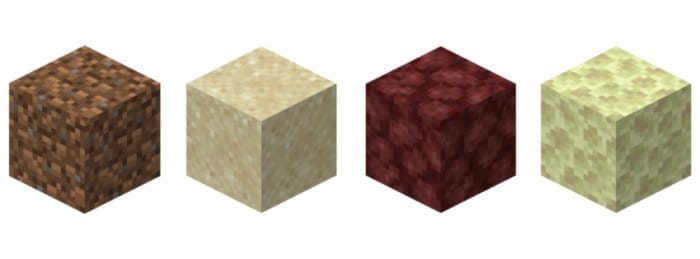
- First hold any of these items in your main hand, (Dirt, or Sand, or Netherrack, or End Stone..

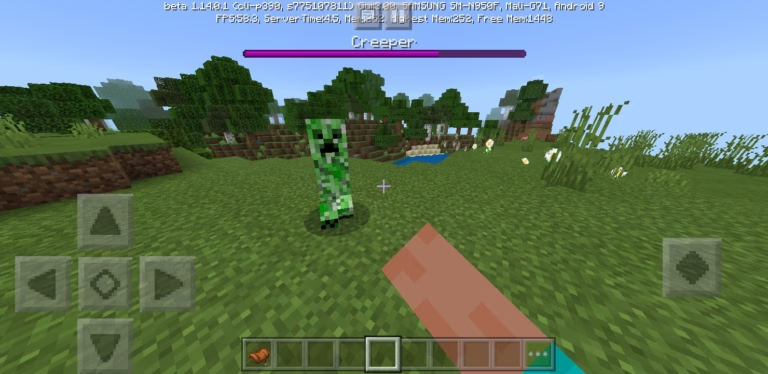
- Then long press/right click, and RepayCraft menu will open..

- And form here you can use your imagination & creativity to create stunning cinematic videos of your Minecraft world…
- There are endless possibilities,
- You must try this mod once..
- I Cannot post videos here, but I will pinn the link of some showcase videos (pls check pinned comment below)

As I said it is extremely easy to use it..
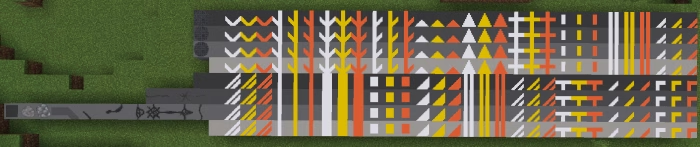
As you can see there are several buttons which perform different functions which you can use,


- Add Position Frames:- This is the most important button and this will help you to add position frames, So stand and look exactly how you want the camera to be, and click Add Position Frames, this will add a position frame, You can add multiple position frames but try adding minimum two..,
- Start Camera:- As the name suggests after adding the position frames, you can click Start Camera and you beautiful cinematic will start,
- Camera Settings:- Camera settings is very useful after clicking it, you can be able to change settings related to the camera such as it’s speed and type of ease or transition..,
- Particle Settings:- Similar to Camera Settings, Particle Settings will allow you to change settings related to particles, basically you can choose between different particles or you can enable or disable them..,
- Remove all Frames:- Remove all frames will help you when you want to remove all frames,
- Player’s AOC/Pitch:- This option will help you, if you want to face your camera in any specific angle (Vertically), You can change it to 0° if you want your camera to look straight forward or 90° or -90°…..etc..,
- Player’s Direction:- Similar to AOC, from here you can change that where you want your camera to face (horizontally), Such as North, South,…..etc…
And this is it, I really hope that this mod will help you to show your world in an unimaginable way, so all the best for your cinematics that you are going to make using this mod.
This mod perfectly works in latest versions of Minecraft and it will also work on upcoming versions,
In case you find any bug or glitches, feel free to contact me and you can also give me some suggestions to improve the mod….Thank You…
My Discord Server || My YouTube Channel
- No bugs & glitches yet,
- Feel free to share any suggestions or feedback ❤️
- You can contact me if you face any Problem.
- Thanks for downloading.
- ????
Installation
- First download the file, you will get a (.zip) file, click on it and extract it,
- After extraction you can click on it and import it in Minecraft,
- You can also rename the (.zip) file to (.mcaddon) file.
Download Pack
- Download [Link 1]
- How to download
- Download [Link 2]
- How to download
creator:
Downloads
- ☝️☝️☝️ Check Above ????????????
- Join My Discord Server
- My YouTube Channel