https://www.aadhu.com/wp-content/uploads/2024/10/OG-Graphic-Pack-Shader-20-120-119-Support-Render.png
OG Graphic Pack Shader 2.0 (1.20, 1.19) – Support Render Dragon
views ❘
July 25, 2023
❘
Let’s be honest, vanilla graphics can be pale and tedious sometimes. So introduce OG Graphic 2.0 with a vibrant world, cartoonish sky, aesthetic style, you name it! OG Graphic Pack Shader 2.0 (1.20, 1.19) is a resource pack that aims to make your gameplay more vibrant and colorful by modifying colormap and biomes_client.json files. Not only that, but it also adds some tweaks to the game such as more transparent water and better sun and moon texture, etc.

Features:
What’s new with v2.0?
- Since this pack uses the same title, most of the aspects remain unchanged, the most palpable changes of this pack are its sky and water, the sky is now brighter and more aesthetic while the tone of the water is also updated to be compatible with the sky.
Screenshots:
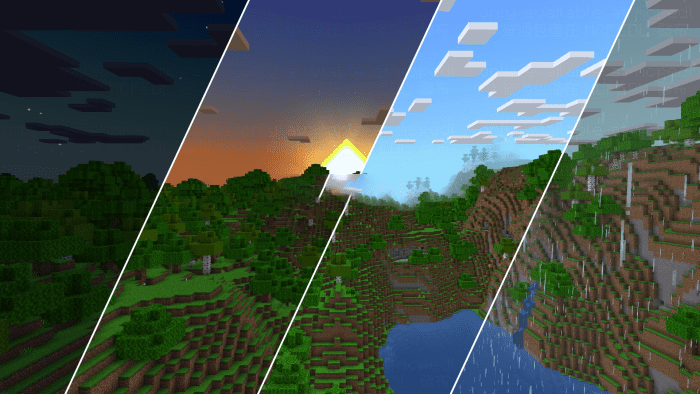
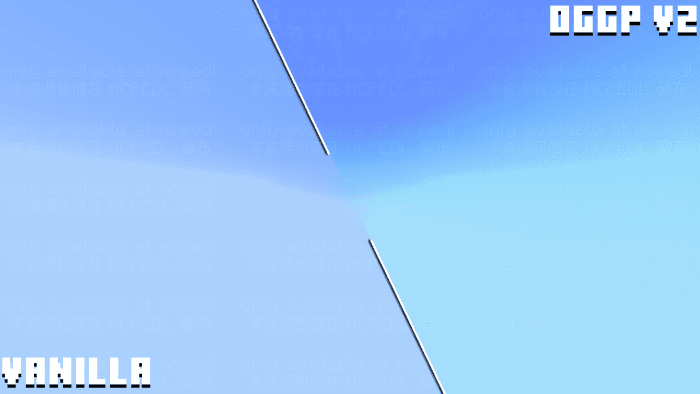


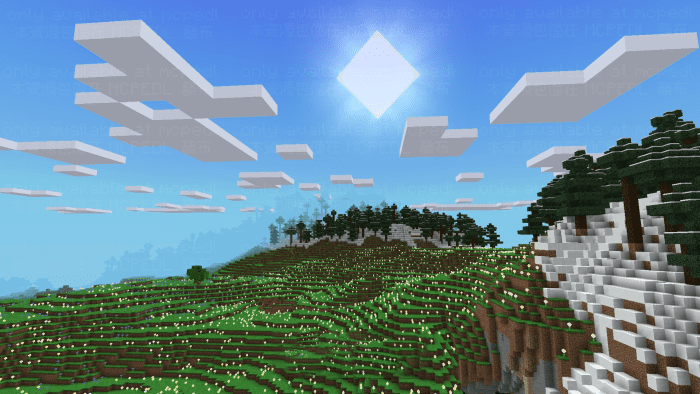

Subpacks:
- OG Graphic Pack also offers subpacks settings, you are able to access the double cloud settings with subpacks.

Resource packs Add-on:
- Both versions of OG Graphic Pack share the same add-on, so if you had already downloaded add-ons for the previous version, there’s no need to download it again.
- Make sure the add-on resource pack is above the main pack when using it.
SAM pack:

End Sky pack:
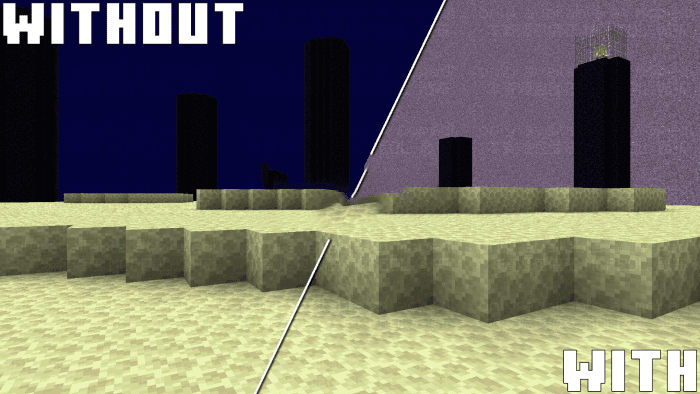
Water Pack (separate into 2 packs):

Installation Note:
- Highly recommend turning OFF fancy graphics while using this pack for a better visual and performance experience.
How to install:
How To Install Mod / Addon on Minecraft PE
How To Install Texture Packs on Minecraft PE
How To Install Map on Minecraft PE
OG Graphic Pack Shader 2.0 (1.20, 1.19) Download Links
You may also like
Top 10 Shader for Render Dragon
For Minecraft PE/Bedrock 1.20, 1.19
mcpack: Download from server 1 – Download from server 2
Tags:
YOU MAY ALSO LIKE…

views
❘

views
❘

views
❘

views
❘

views
❘

views
❘

views
❘

views
❘
Bedrock 1.20 Shaders,MCPE 1.19 Resource Packs,MCPE 1.19 Shaders,MCPE 1.19 Texture Packs,MCPE 1.20 Resource Packs,MCPE 1.20 Shaders,MCPE 1.20 Texture Packs,Render Dragon Shaders