https://www.aadhu.com/wp-content/uploads/2024/10/Screenshot-Taker-Texture-Pack-121-120-No-Behavior-Pack.png
Capturing screenshots on certain devices, especially low-end ones, can be complicated. Screenshot Taker Texture Pack (1.21, 1.20) is especially true for people with low-end PCs, where taking screenshots through the Xbox bar can be slow and frustrating. That’s why the idea of Minecraft having its own built-in screenshot function is attractive. I’m excited to share a solution: a tailored resource pack. This pack lets you take screenshots within the game without the previous delays. It’s a fast and smooth way to capture moments and improve your gaming experience. Simply add this lightweight resource pack to enjoy seamless in-game screenshots without lag. It’s perfect for gamers who want top performance. Just activate it in the global resources settings—it adds a screenshot button to the pause screen.

Features:
- This is a resource pack (no behavior pack) that you can enable in global resources. It gives a screenshot button on the pause screen:
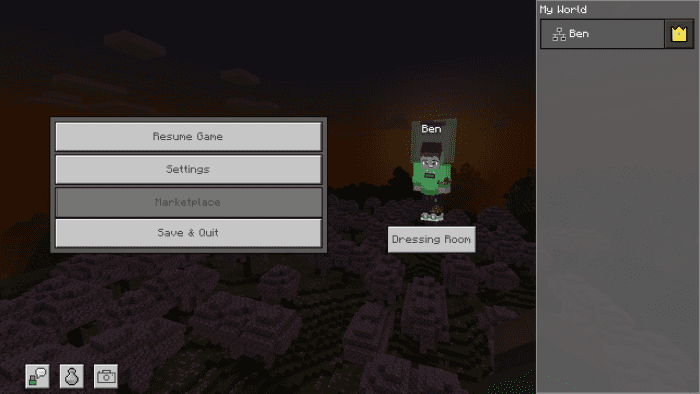
- Take a screenshot just click on the button and done! Simple right?

- The process is the same on bedrock and pocket edition.
Saved screen shots location:
On Windows:
- Press Win+R and the run command will be opened. once opened type %appdata% and enter.

- Then go to this location C:\Users\your-pc-name\AppData\Local\Packages\Microsoft.MinecraftUWP_8wekyb3d8bbwe\LocalState\games\com.mojang\Screenshots and you will find your all screenshots there.
On Android:
- Open File Manager (Zarchiver recommended) And go to this location: Android\data\com.mojang.minecraft.pe\files\games\com.mojang\Screenshots

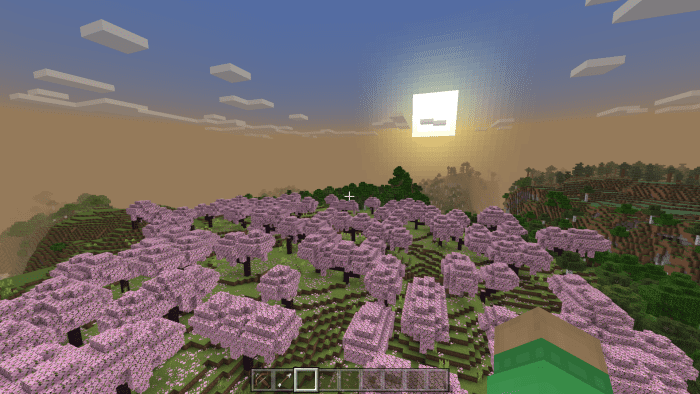
Screenshots preview:
How to install:
How To Install Mod / Addon on Minecraft PE
How To Install Texture Packs on Minecraft PE
How To Install Map on Minecraft PE
Screenshot Taker Texture Pack (1.21, 1.20) Download Links
For Minecraft 1.21, 1.20
Screenshot Taker Texture Pack Download Links