https://www.aadhu.com/wp-content/uploads/2024/12/Command-Cooldowns-Plugin-1181-1171-–-Bukkit-Spigot-Paper.jpg
Command Cooldowns Plugin (1.18.1, 1.17.1) allows a server operator to place a cooldown on any command they wish.

Features
- Customizable cooldowns for any command
- A hour/minute/second time format
- Customizable messages in config.yml
- Commands to allow you to not have to enter the config.yml
- A list command that displays all commands with cooldowns
- The option to give commands aliases. Adding an alias will make it so that alias also is counted towards the cooldown.
- Smart add and remove commands with step by step walkthroughs.
- bStats Tracking
- Automatic update checker
- Able to add cooldowns to commands with arguments. E.g. /warp home
- Ability to check cooldowns with /cooldowns
- Beautiful time formatting, days, hours, minutes, and seconds. Changes with time
- A command that skips cooldowns for admins
- Give permissions to skip a certain cooldown with commandcooldown.bypass.command_here
- Add cooldowns to different users/groups with permissions. Example: commandcooldown.warp_home.30 for /warp home to have a 30 second cooldown instead of the one defined in /cc list
Example of a custom message:

Features to Expect
- Potentially a GUI config.yml editor for commands.
- Let me know any suggestions!
Images


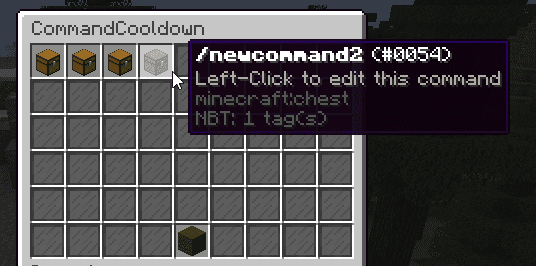

Screenshots:


How to install:
- Download a plugin of your choice.
- Place the .jar and any other files in your plugins directory.
- Run the server and wait for it to fully load.
- Type stop in your Minecraft server console to bring the server to a clean stop.
- Run the server.
- All done! Your plugin should be installed and ready to be used.
Command Cooldowns Plugin (1.18.1, 1.17.1) Download Links
For All Versions from Minecraft Bukkit 1.7.2 to Minecraft Bukkit 1.18.1
Download from Server 1