https://www.aadhu.com/wp-content/uploads/2024/12/ezAuctions-Plugin-1201-1194-–-Spigot.png
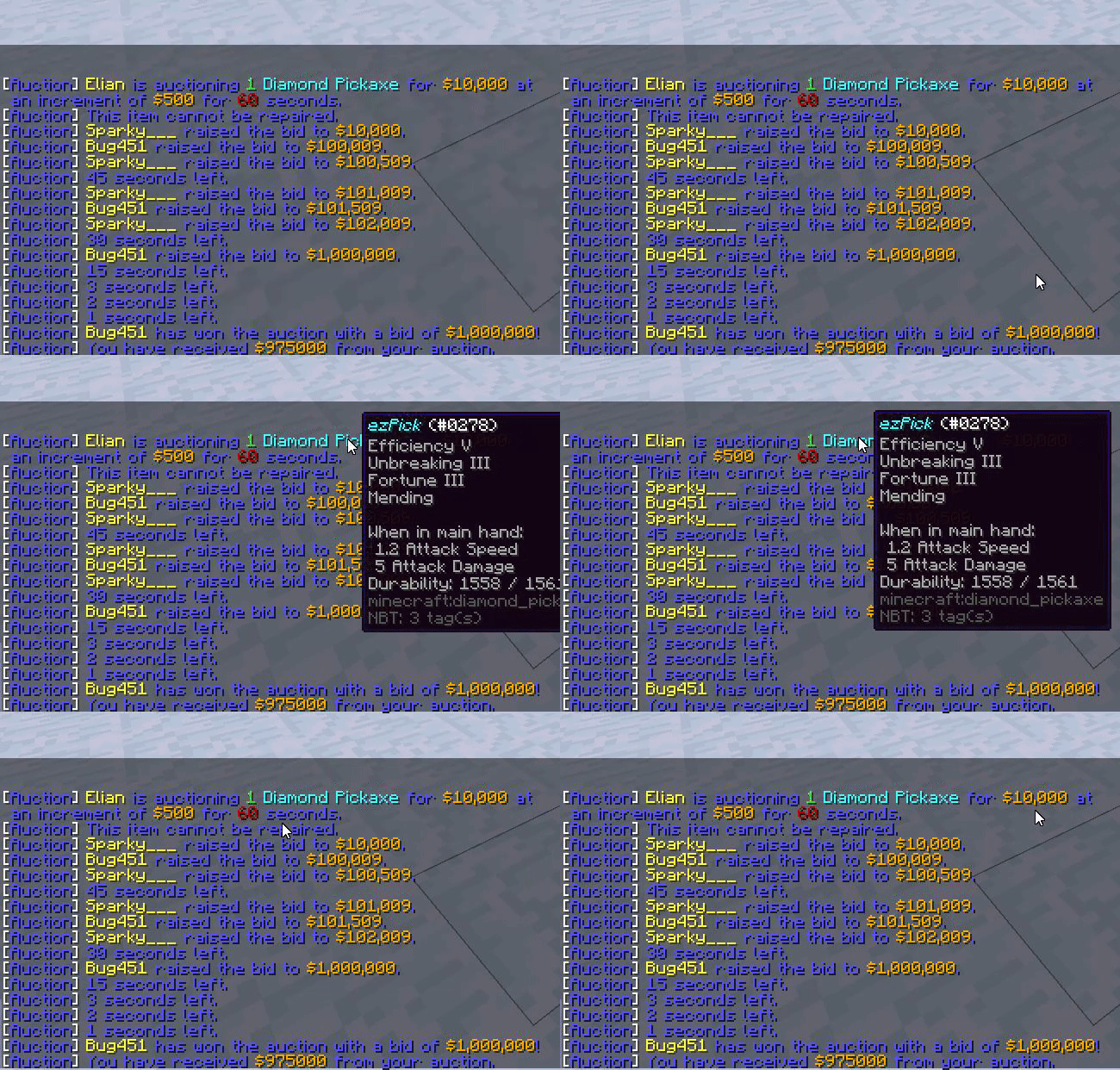
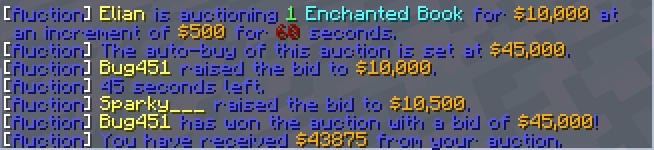
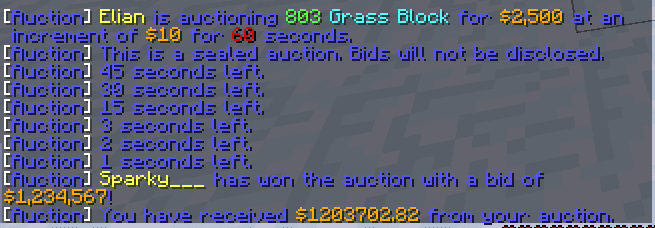
ezAuctions Plugin (1.20.1, 1.19.4) is an auction plugin designed specifically for Spigot servers. With this text-based plugin, you gain the ability to enhance item tooltips, enabling a seamless experience where hovering over items in chat reveals enchantments, lore, and more. Unlock the full potential of item details and create immersive auction environments with ease.
Features:
- Customizable messages! If you can see the message, you can change it!
- Configurable! Minimums, maximums, defaults, and more!
- Item tooltips!
- Scoreboard! An auto-updating display of the current auction!
- Item name translation! Works for different languages and resource pack names!
- Anti-snipe! Stop players from winning last second!
- Sealed auctions! Hide bids from chat!
- Auction queue and delays!
- Shows the required XP for repair!
Commands:
- /auction
- /bid
Screenshots:
How to install:
- Download a plugin of your choice.
- Place the .jar and any other files in your plugin’s directory.
- Run the server and wait for it to fully load.
- Type stop in your Minecraft server console to bring the server to a clean stop.
- Run the server.
- All done! Your plugin should be installed and ready to be used.
ezAuctions Plugin (1.20.1, 1.19.4) Download Links
For All Versions from Minecraft Spigot 1.11 to Minecraft Spigot 1.19.4
Download from Server 1 – Download from Server 2
For Minecraft Spigot 1.20.1, 1.20
Download from Server 1 – Download from Server 2