Description
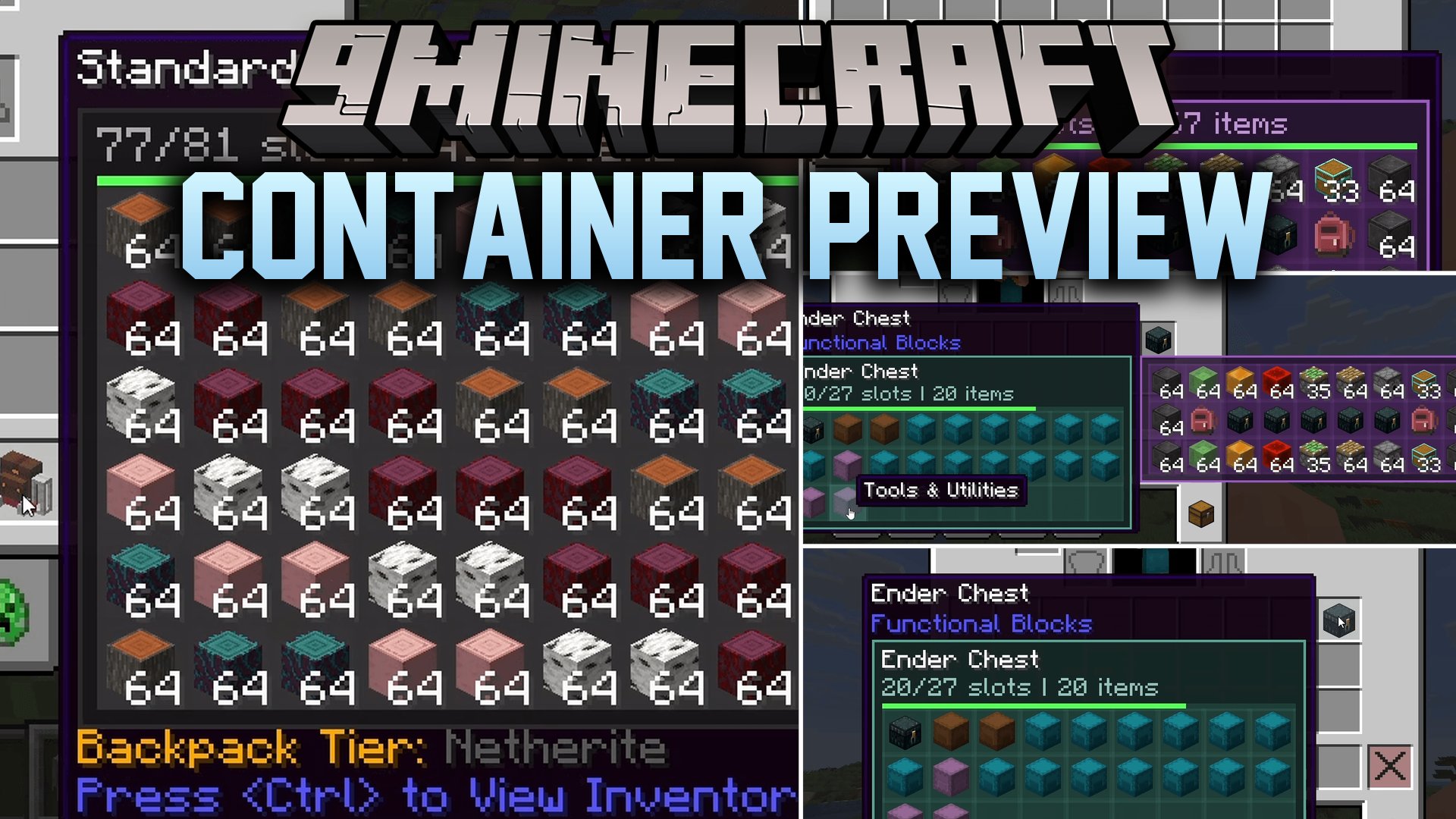
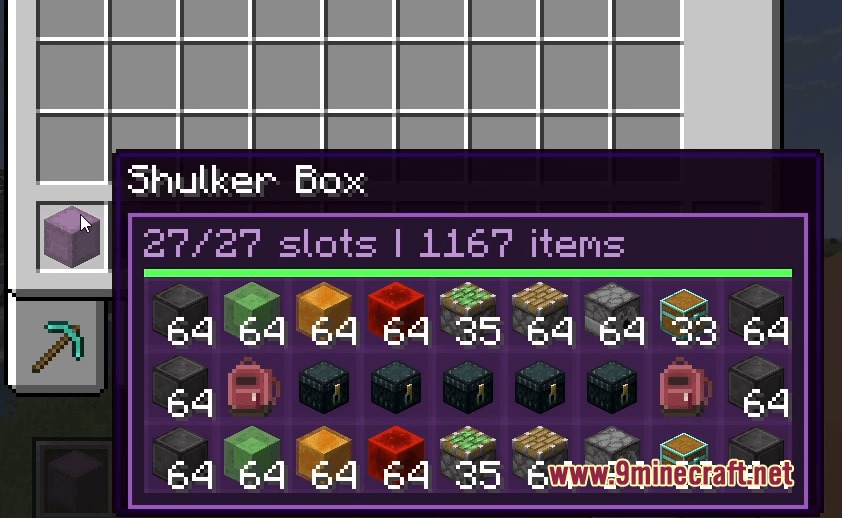
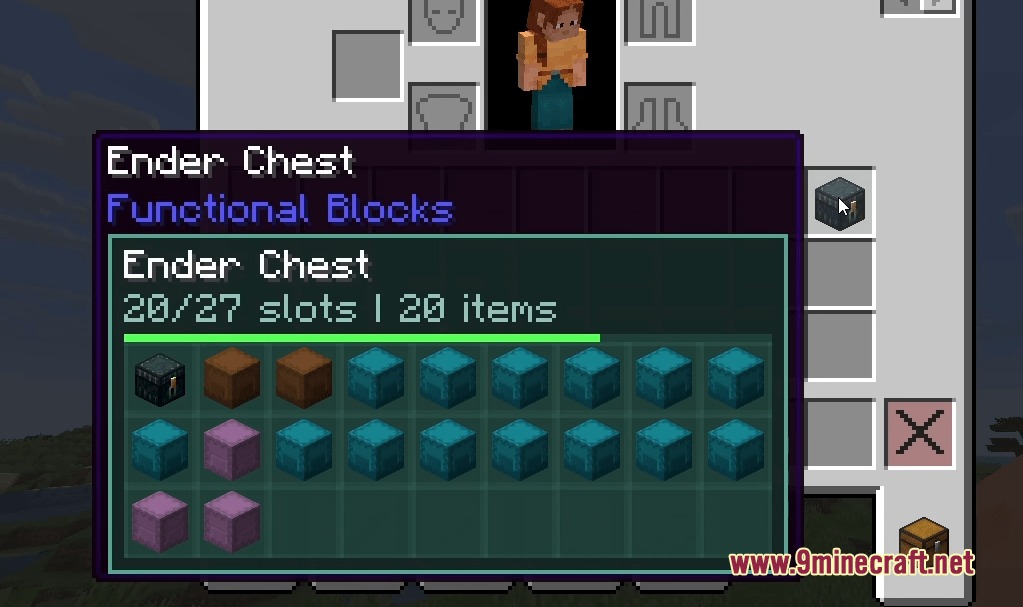
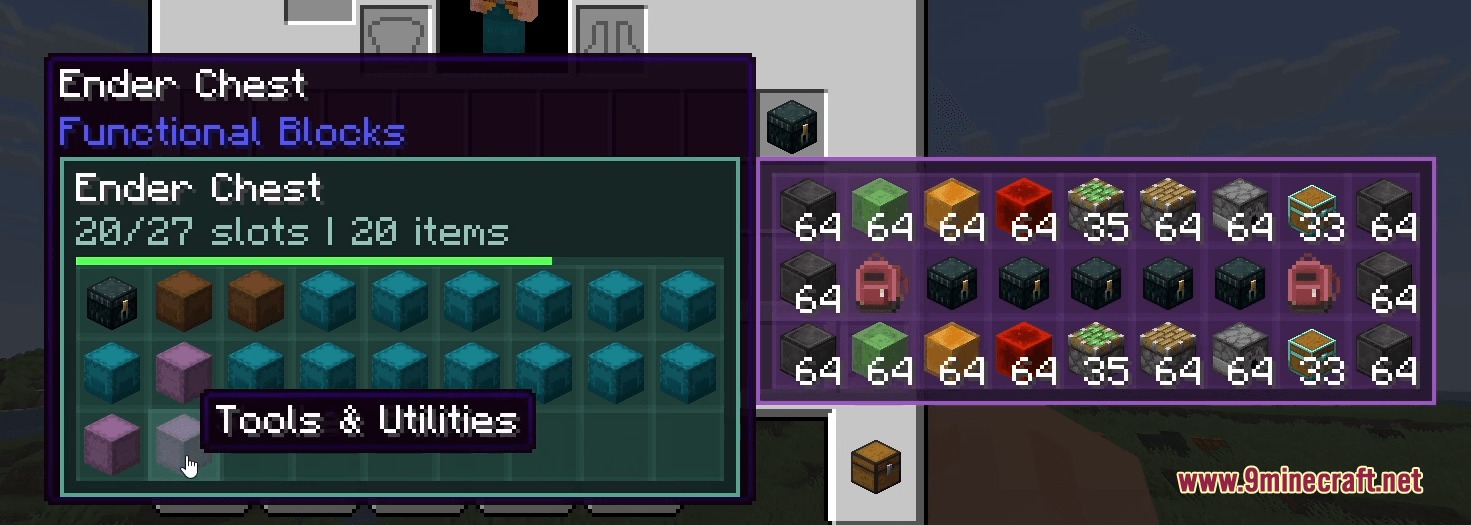
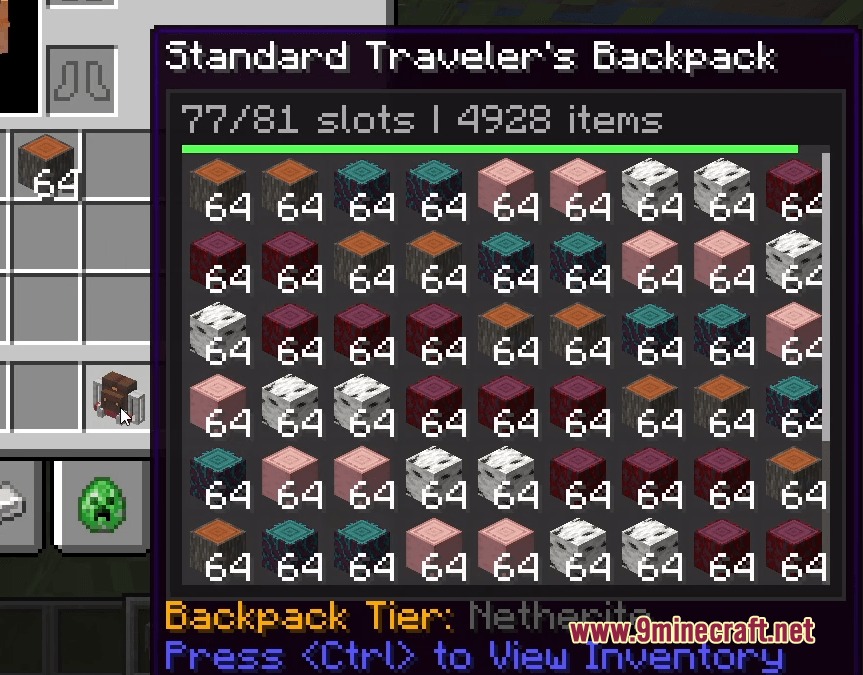
Container Preview Mod displays the contents of storage items directly in your inventory tooltips. You no longer need to place down shulker boxes, backpacks, or bundles just to check what items sit inside. Hovering your mouse cursor over any container shows your items right away in a clean window. It also lets you inspect items stored inside other nested bags without opening them first.


Features
- Shows exact container inventory slots inside standard hover tooltips.
- Works with shulker boxes, ender chests, bundles, and custom modded backpacks.
- Lets you view nested items inside containers that sit inside other storage bags.
- Includes a lock mode to freeze tooltips and inspect specific item details.
- Displays item prices, seller names, and expiration timers when playing on multiplayer servers.
- Provides a clean grid layout for all stored items inside your inventory.
- Functions purely on the client side without needing server installation.
Requirements
NeoForge RequiredMinecraft Forge RequiredFabric Loader RequiredFabric API Required
YetAnotherConfigLib (YACL) Required
Installation
New to Minecraft? Follow our step-by-step guide to install Mods on your PC.View Guide
📥 Container Preview Mod Download Links
📦 For Minecraft 26.3
🔗 Download from Server 1 — 🔗 Download from Server 2🔗 Download from Server 1 — 🔗 Download from Server 2🔗 Download from Server 1 — 🔗 Download from Server 2
📦 For Minecraft 26.2
🔗 Download from Server 1 — 🔗 Download from Server 2🔗 Download from Server 1 — 🔗 Download from Server 2🔗 Download from Server 1 — 🔗 Download from Server 2
📦 For Minecraft 26.1.2, 26.1.1, 26.1
🔗 Download from Server 1 — 🔗 Download from Server 2🔗 Download from Server 1 — 🔗 Download from Server 2🔗 Download from Server 1 — 🔗 Download from Server 2
📦 For Minecraft 1.21.11
🔗 Download from Server 1 — 🔗 Download from Server 2🔗 Download from Server 1 — 🔗 Download from Server 2🔗 Download from Server 1 — 🔗 Download from Server 2
📦 For Minecraft 1.21.10, 1.21.9
🔗 Download from Server 1 — 🔗 Download from Server 2🔗 Download from Server 1 — 🔗 Download from Server 2🔗 Download from Server 1 — 🔗 Download from Server 2
📦 For Minecraft 1.21.8, 1.21.7, 1.21.6
🔗 Download from Server 1 — 🔗 Download from Server 2🔗 Download from Server 1 — 🔗 Download from Server 2🔗 Download from Server 1 — 🔗 Download from Server 2