Description
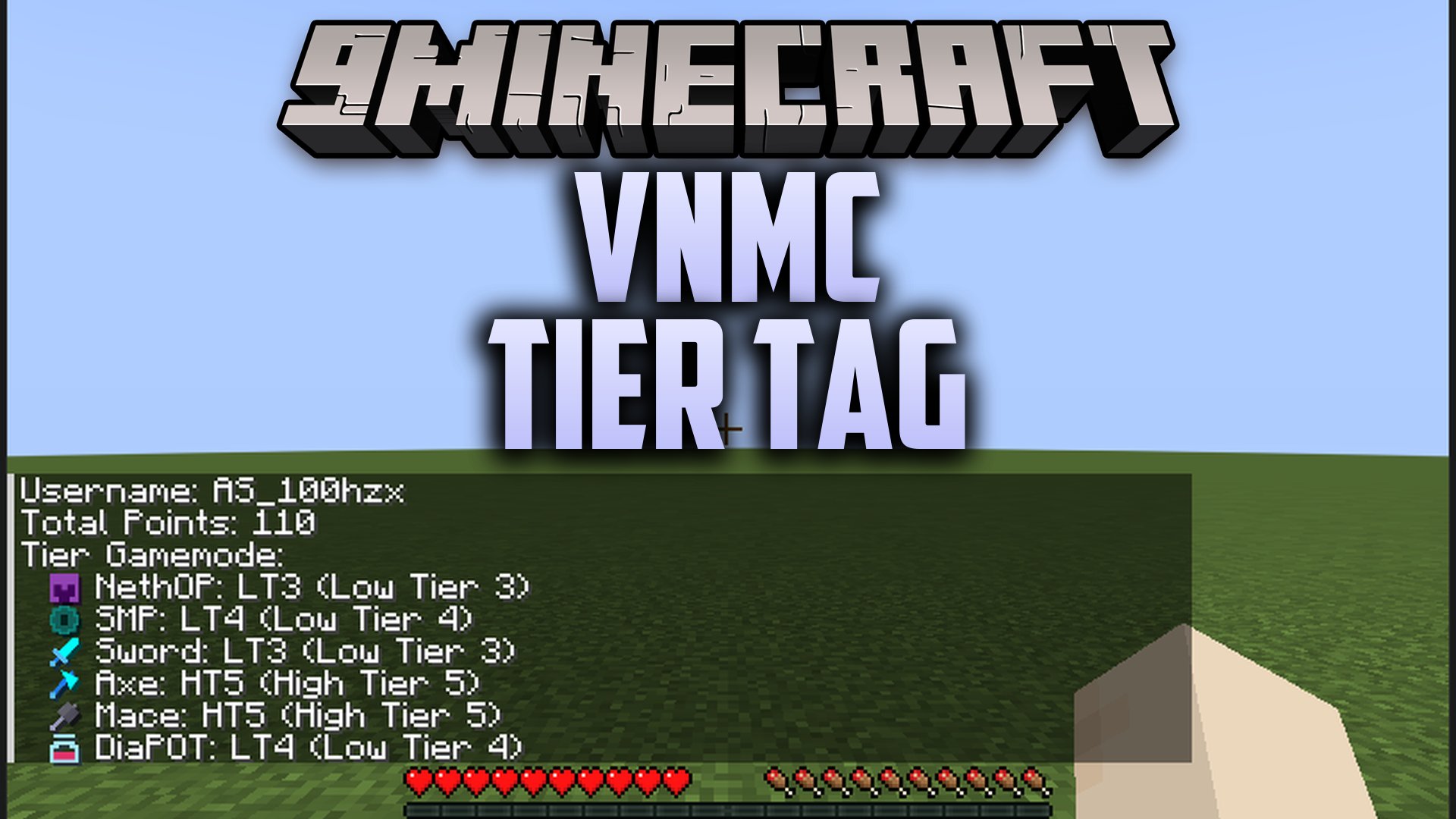
VNMC Tier Tag Mod displays player combat ranks directly above heads and inside the player list. It pulls rank data from the VNMC TierList so you can tell who you are fighting in PvP duels. The mod runs on your client and connects fine to vanilla multiplayer worlds. You can look up ranks for multiple game types, track your personal badge, and choose which mode displays on your tag.


Features
- PvP Gamemode Badges: Displays ranks across eight battle modes including Crystal, Beast, Netherite Pot, Diamond Pot, UHC, SMP, Mace, and Axe.
- Color Coded Tiers: Uses distinct colors for high tiers from HT1 to HT5 and low tiers from LT1 to LT5.
- Player List Integration: Shows colored combat ranks right next to names in the tab list screen.
- Own Nametag View: Lets you see your own tier rank floating above your character head.
- Custom Display Choice: Lets you pick which combat mode rank appears on your badge.
- Two Languages: Switches between English and Vietnamese text for menus and status lines.
- Runs purely on the client side without needing special server setups.
- Updates data quickly from the live online rank database whenever you request it.
Requirements
Fabric Loader RequiredFabric API Required
Installation
New to Minecraft? Follow our step-by-step guide to install Mods on your PC.View Guide
📥 VNMC Tier Tag Mod Download Links
📦 For Minecraft 26.3
🔗 Download from Server 1 — 🔗 Download from Server 2
📦 For Minecraft 26.2
🔗 Download from Server 1 — 🔗 Download from Server 2
📦 For Minecraft 26.1.2, 26.1.1, 26.1
🔗 Download from Server 1 — 🔗 Download from Server 2
📦 For Minecraft 1.21.11
🔗 Download from Server 1 — 🔗 Download from Server 2
📦 For Minecraft 1.21.10, 1.21.9
🔗 Download from Server 1 — 🔗 Download from Server 2
📦 For Minecraft 1.21.8, 1.21.7, 1.21.6
🔗 Download from Server 1 — 🔗 Download from Server 2
📦 For Minecraft 1.21.5
🔗 Download from Server 1 — 🔗 Download from Server 2
📦 For Minecraft 1.21.4
🔗 Download from Server 1 — 🔗 Download from Server 2
📦 For Minecraft 1.21.1, 1.21
🔗 Download from Server 1 — 🔗 Download from Server 2